
- Help centre
- Managing events
Choosing how people register
HubSpot form, external link or none, what each one changes on your event page, and which URL field does what.
Where the setting is
Every event has a Registration Method. It decides what a visitor sees at the bottom of your event page, and it's behind most of the registration questions we get.
You'll find it on the event form under Registration Information, below capacity, close date and Event Role.
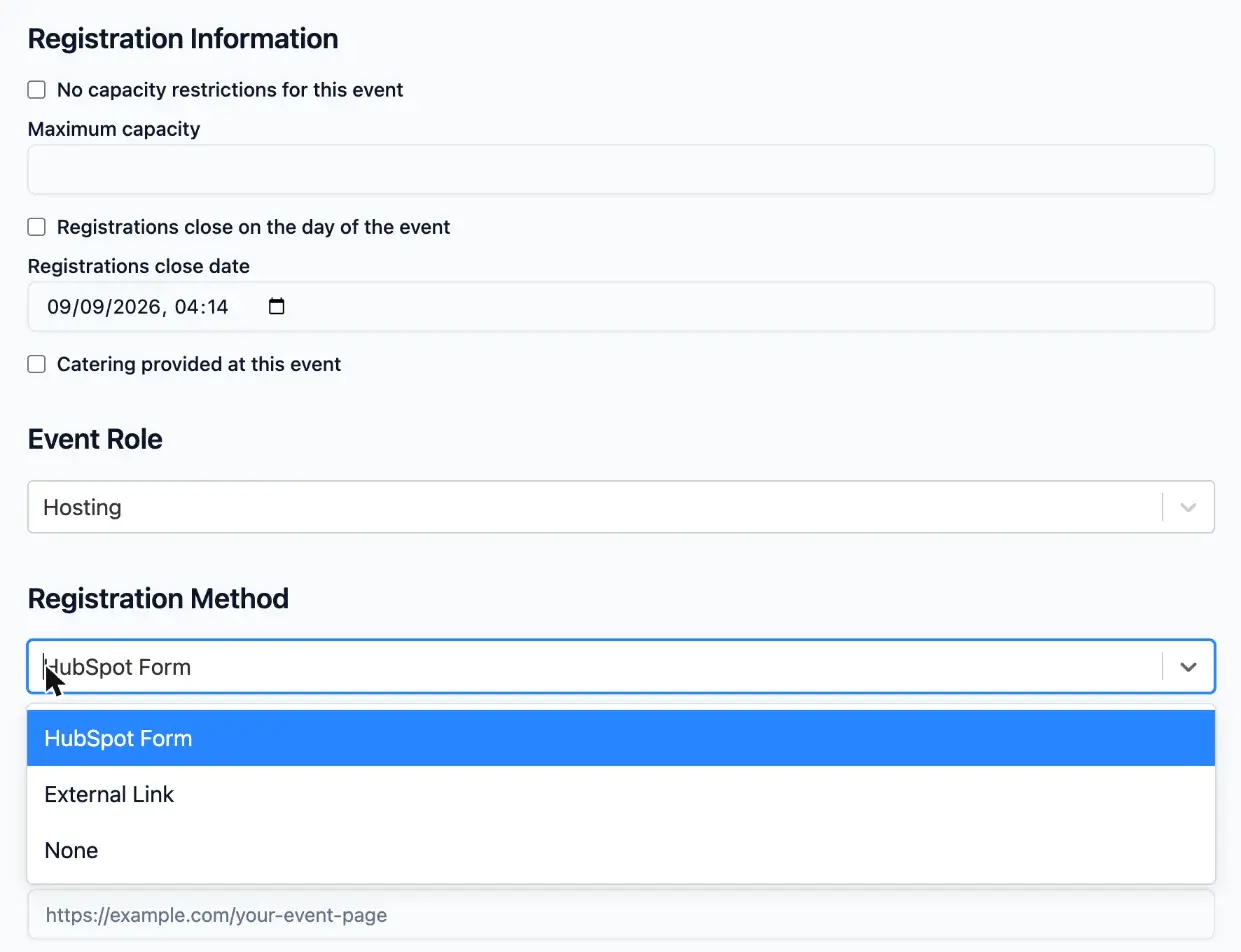
The three registration methods
HubSpot Form
The default, and the right choice unless you have a reason to pick something else.
Your event page shows the EventEngine registration form. Someone filling it in creates a real HubSpot form submission against their contact record, so registrations show up in your attribution reporting like any other conversion.
It also means EventEngine knows who registered. The confirmation email, the reminders, the follow-up and the attended and missed lists are all built on that.
External Link
The page hides the form and shows a single Register Here button, pointing wherever you send it: Zoom's registration page, Eventbrite, or an email address for the person who takes bookings.
It's worth being clear about what you give up. Registration happens somewhere else, so EventEngine never sees it. There's no registrant record, no confirmation email from EventEngine, no reminders, and no attended or missed lists.
Use it when somebody else is running registration for you. Being on Zoom isn't on its own a reason to choose it, since HubSpot Form handles online events perfectly well.
None
No form and no button. The page shows the event details and nothing else.
Useful for an event that's announced but not yet open for booking, or one where attendance is by invitation and you're keeping the list yourself.
The URL fields, and which ones you'll see
An event has up to three URL fields. Which ones appear depends on the event type and the registration method, so you'll rarely see all three at once.
Custom Event URL is always there, at the bottom of the form. It controls where the event's tile on your listing page takes a visitor. Leave it blank in almost every case, because blank means the tile opens the event page EventEngine builds, with the date, venue and registration on it. Fill it in only when the event already has its own page somewhere else and you want people sent straight there. It accepts web addresses only.
External Registration URL appears on In Person and Hybrid events once you choose External Link. It's where the Register Here button sends people. It accepts a web address or a mailto: link, so "email the branch secretary to book" works here.
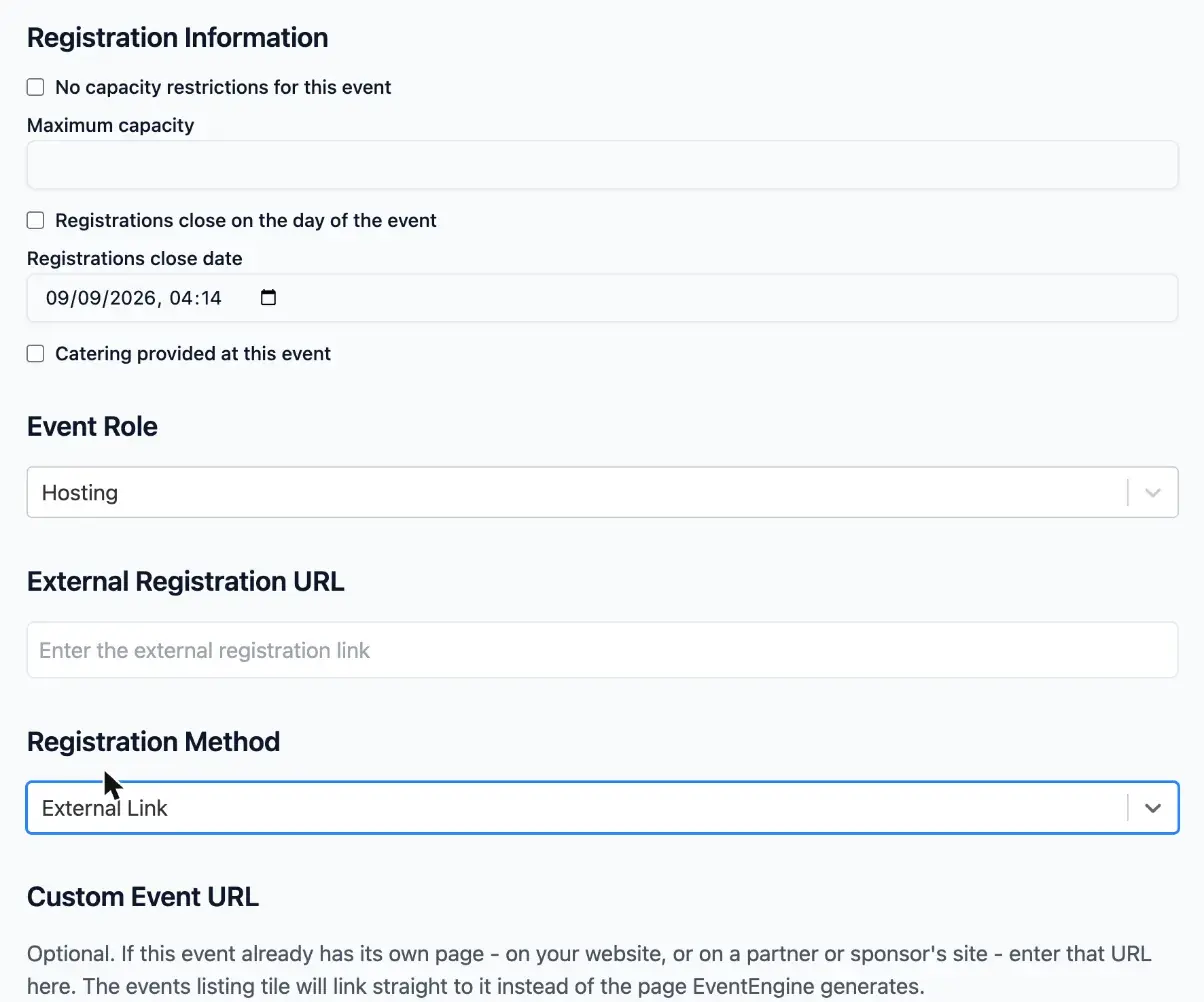
Online Event URL appears on Online events in place of the venue fields. With HubSpot Form selected it holds the meeting link, which goes to registrants in their confirmation email.
A way to keep them straight: the tile gets somebody to your event page, and the button or form gets them registered.
Online events set to External Link
On an Online event, choosing External Link doesn't add an External Registration URL field. The Online Event URL field stays, and it becomes the destination of the Register Here button.
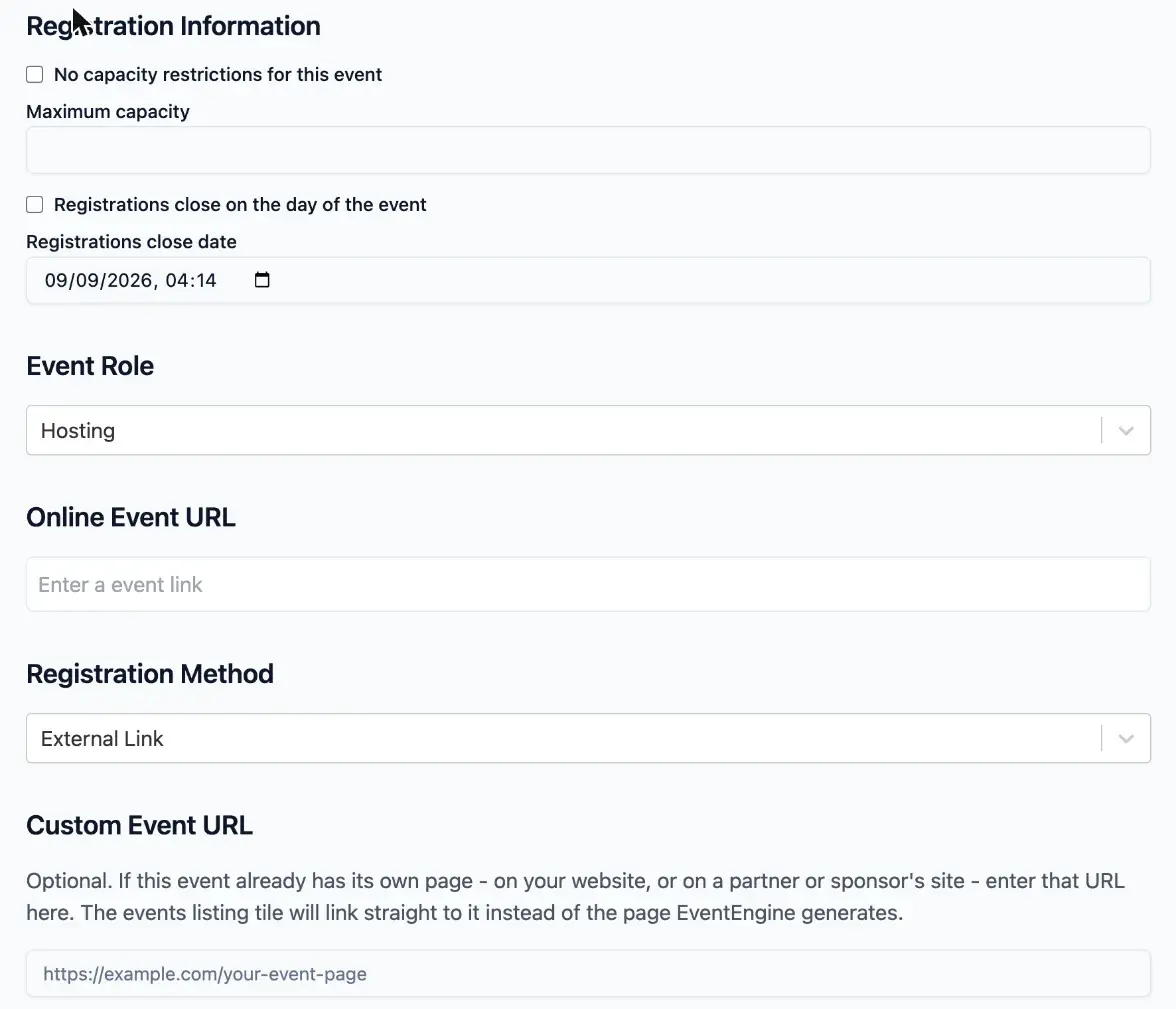
So on an online event using External Link, put your registration page in Online Event URL, because whatever is there is what the public button points at. A private joining link put there would be open to anyone. If registration is on Zoom, use the registration link Zoom gives you for the meeting.
How to check it worked
- Open the live event page in a private browser window, so you see it as a visitor does.
- Scroll to the bottom. You should see exactly one of three things: the form, a single Register Here button, or neither.
- Go back to the listing page and click the event's tile. It should open your event page.
Troubleshooting
The Register Here button goes to the wrong place. Check the URL field on the event. On an In Person or Hybrid event that's External Registration URL. On an Online event it's Online Event URL.
Clicking the event on the listing opens something unexpected. Custom Event URL has a value in it. Clear it and the tile goes back to opening your event page.
There's no Registration Method field on the event form. It arrived on 5 August 2026 as a new property on the Marketing Event object. Portals that installed EventEngine before then need the property adding before the setting appears. Email support@eventenginepro.com with your portal ID and we'll add it.
An online event isn't showing its registration form. Check the registration method rather than the event type. Event type describes the event and doesn't control registration. An Online event set to HubSpot Form shows the form exactly as an in-person one does.
Both a form and a button are showing. No page should do this. Send the event page URL to support@eventenginepro.com.